Enhanced Graphics and Resolution
Render the game at the native resolution of your display, including widescreen and ultra-wide formats, for a clearer view of Clock Town, Woodfall and Stone Tower without losing the original art direction.
2Ship2Harkinian lets you rediscover Termina with improved performance, modern controls and customisable gameplay. This fan-made native port rebuilds the original adventure for Windows, macOS and Linux, using game files from your own copy.
A familiar adventure, rebuilt for modern computers by a dedicated community of developers.
2Ship2Harkinian brings The Legend of Zelda: Majora's Mask to desktop platforms as a native application. It comes from Harbour Masters, the team behind Ship of Harkinian, and is built on a full decompilation of the original game's code rather than traditional emulation.
Because the game logic runs directly on your computer, the port can offer widescreen output, higher frame rates and optional quality-of-life changes while keeping the original story intact. Community contributors keep the project evolving through public pull requests and releases. To play, you supply a compatible, legally obtained copy of the game, from which the port extracts the assets it needs.
Every enhancement is optional, so you can keep the authentic feel or tailor Termina to the way you like to play.
Render the game at the native resolution of your display, including widescreen and ultra-wide formats, for a clearer view of Clock Town, Woodfall and Stone Tower without losing the original art direction.
Raise the frame rate beyond the original console limit for smoother camera movement and combat, or keep the classic timing if you prefer the way the game felt in 2000.
Play with a keyboard or a modern gamepad and remap every action. Comfortable layouts make transformation masks, songs and item swaps easier to reach during tense moments.
Shuffle item locations to turn a well-known journey into a fresh puzzle. Each generated seed changes where key items appear, which rewards exploration and repeat playthroughs.
Load texture packs and asset replacements packaged as .o2r or .otr files. Mods sit in a dedicated folder, so you can switch looks without touching the core installation.
Enable optional conveniences such as faster text, equipping items to the D-pad and other time-savers that reduce repetition while respecting the three-day cycle.
Three stages turn your own game dump into a playable desktop version of Majora's Mask.
Your legally obtained game copy
Processes the required game assets
Original adventure with optional enhancements
Game decompilation is the foundation. Contributors reconstructed Majora's Mask into readable source code that behaves like the original, and 2Ship2Harkinian compiles that code into a program for modern operating systems. No Nintendo 64 emulator sits in between, which is why the port can change resolution, frame rate and input handling at a deeper level.
The program contains no copyrighted game data. On first launch you select a supported ROM dump, and the port extracts textures, models and audio into an mm.o2r archive it reads during play. Additional settings then layer enhancements on top of that original content, all of which can be switched off to recreate the classic experience.
The same haunting world you remember, with more freedom in how you experience it.
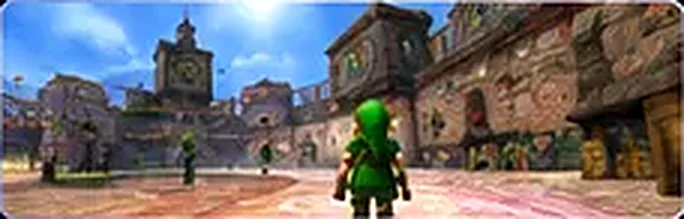
Few games feel as strange and personal as Majora's Mask. The clock tower ticking toward the moon's fall, the residents whose lives you slowly learn, and the bittersweet stories hidden in every corner of Termina remain exactly where you left them.
2Ship2Harkinian keeps that atmosphere intact while letting you decide how much modern comfort you want, from sharper visuals to quicker text, so returning fans can relive the journey and newcomers can enjoy it without friction.
The project documents three desktop platforms, each with its own package format.
Built for Windows desktop and laptop computers. Extract the archive to a folder and run 2ship.exe; the ROM is selected on first launch.
Setup stepsMade for compatible Apple computers. Move the app into Applications, open it, and approve it in Privacy & Security if macOS asks.
Setup stepsRuns on compatible Linux distributions and Steam Deck desktop mode. Make the AppImage executable and keep your ROM in the same folder.
Setup stepsPackage names can change between releases, so always pick the asset labelled for your operating system on the release page.
The port is designed to run on a wide range of modern computers, and performance depends on the settings you choose.
| Component | Requirement |
|---|---|
| Operating system | Windows, macOS or a compatible Linux distribution |
| Processor | A processor compatible with the selected build |
| Graphics | A GPU and driver supporting one of the available rendering APIs |
| Memory & storage | Dependent on configuration and installed mods |
| Game files | A compatible, unmodified Majora's Mask ROM dump |
| Input | Keyboard or a compatible controller |
Explore the open-source project or choose a ready-to-play build for your operating system.
The development ZIP contains source code, not a ready-to-play application. For Windows, macOS or Linux packages, visit the official GitHub releases.
Pick your systemChoose the Windows, macOS or Linux asset.
Use a clean folderExtract into a folder you can find easily.
Prepare your ROMHave a supported dump ready for first launch.
A beginner-friendly route from download to Clock Town, with notes where each operating system differs.
Prepare a dump of your own Majora's Mask cartridge or disc. Reports from the project's release describe support for the N64 1.0 USA and GameCube USA versions; patched or translated files are not accepted, so check the README if you are unsure.
Open the release page from the download section and select the package that matches your operating system. Save it to a dedicated folder rather than a system directory to avoid permission problems.
Launch the port and select your ROM when prompted. It generates the mm.o2r asset archive once, which can take a short while on the first run.
Open the settings menu to choose resolution, frame rate, controls and any enhancements. Start with the defaults, test performance, then fine-tune before heading into the first cycle.
Modifications and randomised runs give a well-known game fresh replay value.
Players share texture packs, model swaps and other asset changes that reshape how Termina looks. Each mod is packed as an .o2r or .otr archive, and placing the file inside the port's mods folder is usually all it takes to load it.
Because mods stay separate from the core files, you can try a new look, remove it, and return to the original presentation in moments.
Discover new item placements and unexpected challenges with every seed you generate.
Explore community-created visual modifications that refresh familiar locations.
Fine-tune optional settings across graphics, gameplay, controls and the randomiser, so every playthrough reflects your preferences rather than a fixed design.
Both approaches can play Majora's Mask well; they simply solve the problem in different ways.
| Feature | 2Ship2Harkinian (Native Port) | N64 Emulator |
|---|---|---|
| Execution | Native port compiled for your OS | Console hardware emulation |
| Enhancements | Built-in game-specific options | Emulator and plugin dependent |
| Randomiser | Integrated | May require separate patches |
| Game assets | User supplied | User supplied |
| Configuration | Game-focused menus | Emulator-focused, covers many games |
Emulators remain excellent for playing a whole library of Nintendo 64 games with one program, and many deliver accurate results. A native port is dedicated to a single title, which allows deeper changes such as true widescreen rendering, game-aware frame rate handling and integrated modding.
Know what you are downloading and where it comes from.
The source code is publicly available, so anyone can review how the port works and follow every change through the repository's history.
Provide a compatible game dump obtained lawfully. The port does not bundle copyrighted assets, and backup laws differ between countries.
Avoid unknown installers and repackaged files. Fetch builds from the official GitHub releases and scan downloads with your security software.
No website can guarantee that software is risk-free on every system, but sticking to the official source removes the most common danger: tampered copies.
Select the issue you are facing to see quick checks that solve most cases.
What problem are you experiencing?
Most launch failures come from a build that does not match your system or a ROM that has not been processed yet.
The port only accepts specific versions of Majora's Mask, and a modified or damaged dump will not be accepted.
Rendering issues are often tied to the graphics backend or outdated drivers.
Controllers usually need to be connected before the port starts, and some pads need remapping the first time.
High internal resolutions, raised frame rates and large texture packs all increase the load on your hardware.
New releases, bug fixes and community contributions arrive regularly through public channels.
Each release lists new enhancements, fixes and contributor credits. The 2.0.0 major release, for example, introduced the randomiser, and later updates continue to refine gameplay and platform support.
View Release NotesDirect answers to the questions players ask most often.
Yes. The port is free to download from the project's public release page, although you must provide your own compatible game files taken from a copy of Majora's Mask that you own.
2Ship2Harkinian is a fan-made native PC port of The Legend of Zelda: Majora's Mask. It rebuilds the game from decompiled code, so it runs directly on your computer and adds optional enhancements on top of the original adventure.
The port comes from Harbour Masters, the community team that also created Ship of Harkinian for Ocarina of Time. Contributors from the wider community submit fixes, enhancements and new features through the public repository.
No. The download contains only the port itself. Game assets are extracted from a ROM dump that you supply, so a legally obtained copy of the original game is required before you can play.
No. Ship of Harkinian is the team's port of Ocarina of Time, while 2Ship2Harkinian focuses on Majora's Mask. Both share a similar approach and settings menu, yet each needs its own game files.
The source code is public, which allows anyone to review it. Download builds only from the official GitHub release page, avoid repackaged installers from unknown sites, and scan files with your usual security tools.
The project does not distribute Nintendo's copyrighted assets; you supply them from your own copy. Laws on game backups differ between countries, so check the rules that apply where you live before creating a ROM dump.
Official playable builds are published on GitHub Releases for Windows, macOS and Linux. The development source archive is available separately and requires building the software.
No. This website is a fan-run information resource about the port. It is not affiliated with the developers, and all genuine downloads come from the project's own GitHub repository.
Both are native PC versions of Majora's Mask. Zelda64Recomp is built with a static recompilation tool, while 2Ship2Harkinian is based on a full decompilation of the game's code, which gives it its own feature set.
No. 2Ship2Harkinian runs as a native application. You launch the port directly, point it to your ROM the first time, and the game plays without any Nintendo 64 emulator in between.
Reports from the project's launch describe support for the N64 1.0 USA and GameCube USA versions of Majora's Mask. Check the repository README for the current list before you prepare your dump.
Yes. Alongside Windows, the project publishes builds for macOS and Linux. The Linux release ships as an AppImage, which also makes it a popular choice on Steam Deck in desktop mode.
Yes. Keyboard and gamepad input are both supported, and buttons can be remapped from the in-game settings menu so the layout matches your controller and play style.
Yes. Custom assets are packed in .o2r or .otr files and placed inside the mods folder. Texture packs, model changes and other asset replacements can be enabled this way.
Yes. A built-in randomiser arrived with the 2.0.0 major release. It shuffles item locations so each run through Termina plays differently, with options you can adjust before generating a seed.
The official releases target Windows, macOS and Linux. Community forks have brought the port to other devices, so verify the source of any mobile build carefully before installing it.
Yes. Steam Deck owners typically use the Linux AppImage in desktop mode, keep the ROM in the same folder, and can then add the port to Steam as a non-Steam game.
If you see crashes, the rendering API can be changed in the 2ship2harkinian.json configuration file by editing the backend entry, or through the settings menu when the game launches.
When you first select your ROM, the port extracts the game assets into an archive called mm.o2r. This file is what the port reads during play, so keep it alongside the executable.